


Apple’s payment service has arrived in India. Apple Pay India launched on September 30, 2026. This service allows eligible users to make payments at supported stores, apps, and websites using their Apple devices instead of a physical card.
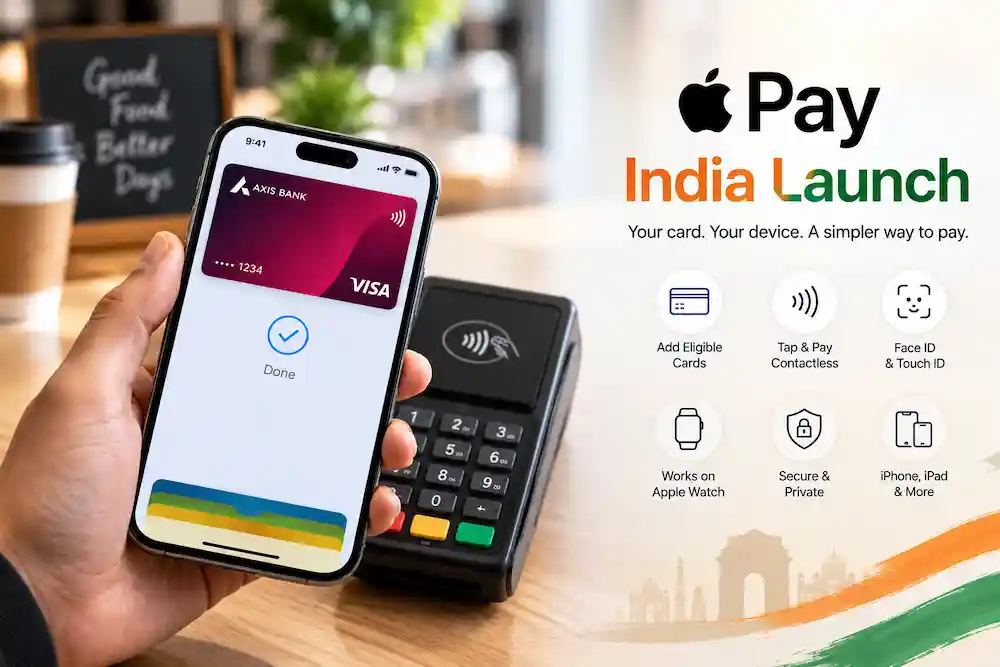

Currently, Apple has partnered with Axis Bank, Visa, and Mastercard. Consequently, this initial phase of the Apple Pay launch in India is limited in scope. Only eligible Axis Bank credit cards from these two networks can be added to the Apple Wallet. The service works on iPhone, iPad, and Apple Watch, and Apple has stated that support for Mac will also be available soon.
What the Apple Pay India Launch Changes for Everyday Payments
Typically, paying with a card means either taking the card out at a store or entering its details at every online checkout. Apple Pay changes this process. You save an eligible card in ‘Wallet’ and authorize each payment using your device.
In the store, you authenticate the payment by holding your phone or watch near the contactless terminal. Wherever there’s an Apple Pay option on apps and websites, you choose it. The launch of Apple Pay in India comes at a time when UPI is being used extensively for everyday transactions, but the two systems work differently and this difference matters (more on this later).

Which Cards Are Supported
| Card type | Status at launch |
|---|---|
| Axis Bank Visa credit cards | Supported, subject to eligibility |
| Axis Bank Mastercard credit cards | Supported, subject to eligibility |
| Axis Bank RuPay cards | Not supported |
| Cards from other banks | Not available yet |
The details available so far do not say which Axis Bank credit cards count as “eligible,” so check with the bank before you assume yours qualifies. Anyone planning to try the Apple Pay India Launch should do that check first. Debit cards are also not mentioned, so there is no confirmed answer for them yet.
How to Set It Up
Adding a card is simple:
- Open the Wallet app on your iPhone.
- Tap the option to add a new card.
- Enter the details of your Axis Bank credit card, or scan the card.
- Complete any verification the bank asks for.
Once the card is approved, it is ready for Apple Pay purchases. Axis Bank has also confirmed that the card can be used on Apple Watch through the Wallet app. If your card is not eligible, expect it not to be accepted at this stage.
How to Pay
On an iPhone with Face ID, double-press the side button, confirm with Face ID or your passcode, and hold the phone near the terminal. Once the terminal recognizes it, the payment goes through. Depending on the device, Touch ID or a passcode can be used instead. Supported Apple Watch models can also authenticate and make contactless payments. The Apple Pay India Launch only helps you if the shop’s terminal accepts contactless Apple Pay, so not every counter will work.
Does It Replace UPI?
No. Apple Pay is tied to eligible payment cards, while UPI moves money directly between bank accounts. The Apple Pay India Launch therefore adds another way to pay rather than taking over from UPI. RuPay is also missing for now, which is worth remembering if your everyday card runs on that network.
A Word on Security
Apple says payments rely on the security built into your device, such as Face ID, Touch ID or a passcode. Instead of showing your real card number at checkout, Apple Pay uses a device-specific account number. In practice, you do not hand your physical card to the cashier. That protection is a big part of why Apple promotes the Apple Pay India Launch as a safer habit.
Which Devices Work
Reports on the rollout point to the iPhone XR and later running iOS 18 or newer, and the Apple Watch Series 6 and later running watchOS 11 or newer. Since those details come from reports, confirm them on Apple’s own compatibility page, and update your software before adding a card. Checking this first makes the Apple Pay India Launch far less frustrating.
The Limits You Should Know About
Let’s be honest about the gaps. The Apple Pay India Launch covers only one bank’s credit cards, leaves out RuPay, and depends on merchants supporting Apple Pay. Mac support is still pending. Fees and transaction limits were not covered in the information available, so ask Apple or Axis Bank if those matter to you.
What to Watch Next
Apple has said it wants to bring in more banks and cards as the rollout continues. If it does, the Apple Pay India Launch could reach far more people than it does today. Until then, it is best seen as a useful early step for Axis Bank credit card holders with compatible devices. The real test of the Apple Pay India Launch will be how quickly new banks and merchants join.
Conclusion
Apple Pay has reached India, but only for eligible Axis Bank Visa and Mastercard credit cards on compatible Apple devices. RuPay, other banks and Mac support are still missing, and UPI is unaffected. Treat the Apple Pay India Launch as a first step, and watch for announcements about new banks and merchants.
FAQs
1. When did Apple Pay start working in India?
Apple Pay went live in India on September 30, 2026.
2. Which cards can I add to Apple Wallet?
Only eligible Axis Bank credit cards on the Visa and Mastercard networks are supported at launch.
3. Does Apple Pay support RuPay cards?
No. Axis Bank RuPay cards are not supported for now.
4. Can I use a debit card?
There is no confirmed answer yet. The information available so far mentions only credit cards.
5. Does Apple Pay replace UPI?
No. Apple Pay works with eligible payment cards, while UPI moves money directly between bank accounts. It is an additional way to pay.
Disclaimer
This article is based on reports available at the time of writing. Supported banks, cards, devices, fees and limits may change without notice. Please confirm the latest details with Apple and Axis Bank before adding a card. This is general information, not financial advice.












Apple iPhone 17 Pro vs iPhone 18 Pro: Price, Features and Major Upgrades Compared | Amezing


Sudhanshu is the author of XYZ News Live and has over 2 years of experience in digital content writing. His focus is on presenting news and important information in a simple, clear, and accessible language for readers.